



















What does a Cal.com integration do on a website?
A Cal.com integration lets visitors book a meeting without leaving your site. Instead of sending people to a separate scheduling page, the calendar appears on the page itself or in a pop-up, and the booking lands in your team's calendar. Cal.com is open source and can be used as a hosted service or self-hosted, which matters to teams that care about owning their stack.
On a marketing site the integration usually covers four jobs:
- Demo and intro call booking: an inline calendar on the demo page, so the conversion happens where the intent is highest.
- Booking from any button: a pop-up that opens when someone clicks Book a call in the header, pricing table or footer.
- Routing: a short routing form that asks a question or two and sends the visitor to the right person or event type.
- Tracking: bookings recorded as conversions, with the campaign that brought the visitor attached.
Our guide on whether to embed a calendar on your demo page covers when inline booking helps and when a form first is better.
Which Cal.com embed type should you use?
Use inline on a dedicated booking or demo page, a pop-up from buttons elsewhere, and the floating button only when booking is the main action across the whole site. Cal.com's embed docs describe these three modes, and the snippet for each comes from the event type in the Cal.com app.
Embed type | What it does | Best for | Watch out for |
|---|---|---|---|
Inline | Calendar placed in the page layout | Demo and contact pages | Reserve its height to avoid layout shift |
Pop-up via element click | Any button opens booking in a modal | Header, pricing and footer CTAs | Make sure it works with keyboard and on mobile |
Floating button | A fixed button that opens a pop-up | Service sites where booking is the goal | Can cover content and clash with chat widgets |
Routing form | Questions that route to an event type or person | Teams with several reps or call types | Keep it to two or three questions |
The embed can show a single event type, your profile with all event types, or a routing form, according to Cal.com's docs. For most startups we recommend one event type per page, because a list of meeting types makes the visitor choose before they've committed to booking.
How does Cal.com work with Webflow, Framer and Next.js?
All three platforms can run Cal.com's embed, because the snippet is plain JavaScript. The differences are in how much control you get over loading, styling and events.
Capability | Webflow | Framer | Next.js |
|---|---|---|---|
Inline embed | Embed element with Cal.com's snippet | Embed component or a code component | Cal.com's React embed package or the snippet |
Pop-up from a button | Snippet plus a data attribute on the button | Code component or custom code | Client component with full control |
Prefilling name and email | Custom code passing values to the embed | Custom code passing values to the embed | Passed from form state or the URL |
Listening for bookings | Custom code with Cal's event listener | Custom code with Cal's event listener | Event listener in a client component |
Load control | Basic | Basic | Full: load on scroll or on click |
Cal.com's embed docs show a listener in the form Cal("on", ...) for events such as a successful booking, which is how we fire a conversion event. Event names have changed between versions, so we check the current Cal.com embed events docs at the start of each build. On Next.js we load the embed only when the visitor reaches it, which keeps the page fast. Our Framer, Webflow and Next.js pages explain when each platform fits, and our step-by-step guide to embedding Cal.com covers the setup in detail.
How do you track Cal.com bookings as conversions?
Track the booking, not the click on Book a call. A click only tells you someone opened the calendar; the booking event tells you a meeting exists, and that's the number your ads and reports should optimise for.
- Capture UTMs on arrival and keep them through the visit, so the source survives to the booking step.
- Listen for the booking event from the embed and push one conversion event to the data layer.
- Send it to GA4 and ad platforms from one place, usually Google Tag Manager, so every tool counts the same booking once.
- Pass the source into Cal.com as booking metadata or hidden questions, so it reaches your CRM too.
- Test it with a real booking from a tagged URL, then cancel it.
Our guides to conversion tracking for lead-gen sites and UTM hidden fields explain the full setup.
What are the common Cal.com integration mistakes?
Most Cal.com problems show up as lost bookings or broken reports, not as visible errors. These are the ones we check for.
- Layout shift: an inline embed that loads late and pushes the page down. We reserve its height.
- Double entry: a form that asks for name and email, then a calendar that asks again. Prefill the embed from the form.
- Counting clicks as conversions: inflated numbers in ad platforms that optimise for the wrong thing.
- Timezone confusion: times shown in the wrong zone for visitors abroad. Check the embed detects the visitor's timezone.
- Too many event types: visitors choosing between five meeting lengths and booking none.
- No mobile test: a pop-up that's hard to close or scroll on a phone.
Hypothetical example: a demo page with a routing form
For example, suppose a startup has founders who take sales calls and a support lead who handles existing customers. We would put a two-question Cal.com routing form on the demo page: "Are you a current customer?" and "How big is your team?". Current customers go to support, larger teams to a founder's 30-minute demo, and smaller teams to a 15-minute intro.
The booking event fires one GA4 conversion with the original UTMs attached. This is an illustration of the process, not a client result.
How do we set up Cal.com on your site, and what does it cost?
Agree the booking flow
Which event types appear where, whether a routing form comes first and who receives each booking.
Design the page around it
The demo page is written and designed so the calendar is the obvious next step, with proof beside it.
Embed and style
Inline, pop-up or routing form on Webflow, Framer or Next.js, themed to your brand and loaded without slowing the page.
Wire tracking
Booking events sent to GA4 and ad platforms once, with UTMs passed into the booking.
Test and hand over
Real bookings from desktop and mobile, plus a short guide on changing event types and availability.
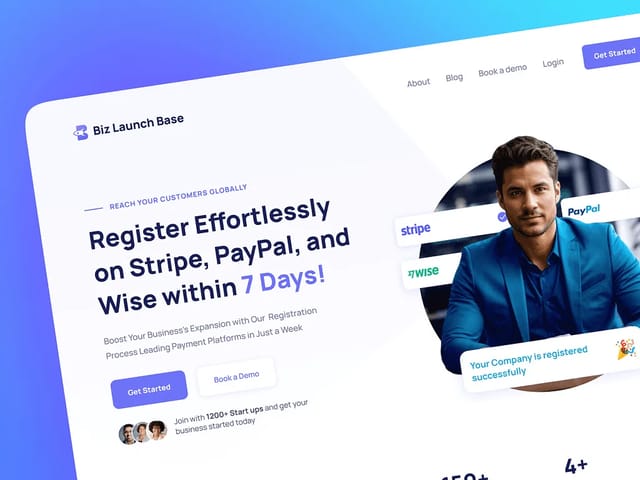
Cal.com setup is part of our landing page package, $6,000 fixed for one conversion page with copy, custom design and a Next.js build. On a multi-page site it's part of our $8,000 website package. We designed and built the site for Biz Launch Base, a business services company. If you use a different scheduler, see our Calendly and Chili Piper pages. The next step is a free 30-minute call, which you'll book through Cal.com.